How to Track Your Brand in ChatGPT: Tools and a Manual Method
Learn how to measure how often ChatGPT mentions your brand, where you rank and which sources it cites, with the best tracking tools and a manual method you can start today.
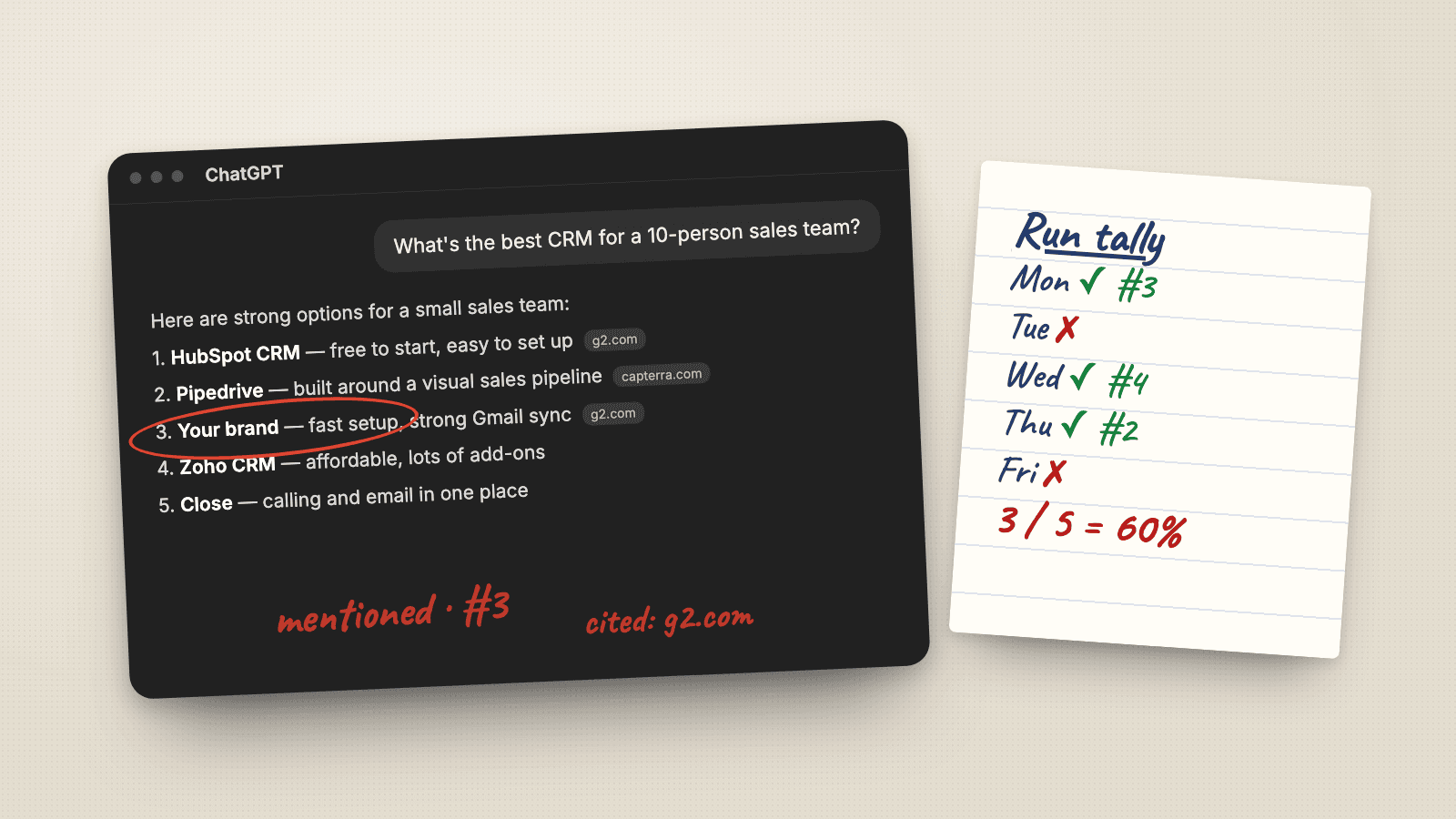
A marketing lead at a growing software company opens ChatGPT on a Tuesday morning and types the question their buyers ask every day: "What's the best CRM for a 10-person sales team?" Five names come back. Theirs is third. On Wednesday they ask again, and their brand is gone. On Thursday it is back, but at number five, and a competitor they had never worried about is at the top.
Which answer is true? All of them, and none of them. ChatGPT does not keep a fixed ranking you can check once. It builds a new answer every time, from what it knows, what it finds on the web, and what it knows about the person asking. That is why "we checked ChatGPT and we're in it" is not a measurement, and why so many teams are unsure whether AI is recommending them at all.
This guide explains how brand visibility actually works inside a ChatGPT answer, compares the main tools that track it, and walks through a manual method you can start today with nothing more than a spreadsheet.
How brand visibility works inside a ChatGPT answer
Before choosing a tool, it helps to see where your brand can win or lose inside a single answer. When someone asks ChatGPT for a recommendation, three things happen. ChatGPT rewrites the question into search queries when it decides current information would help. It reads the pages those searches return. Then it combines what it found with what it already knows and writes a list.
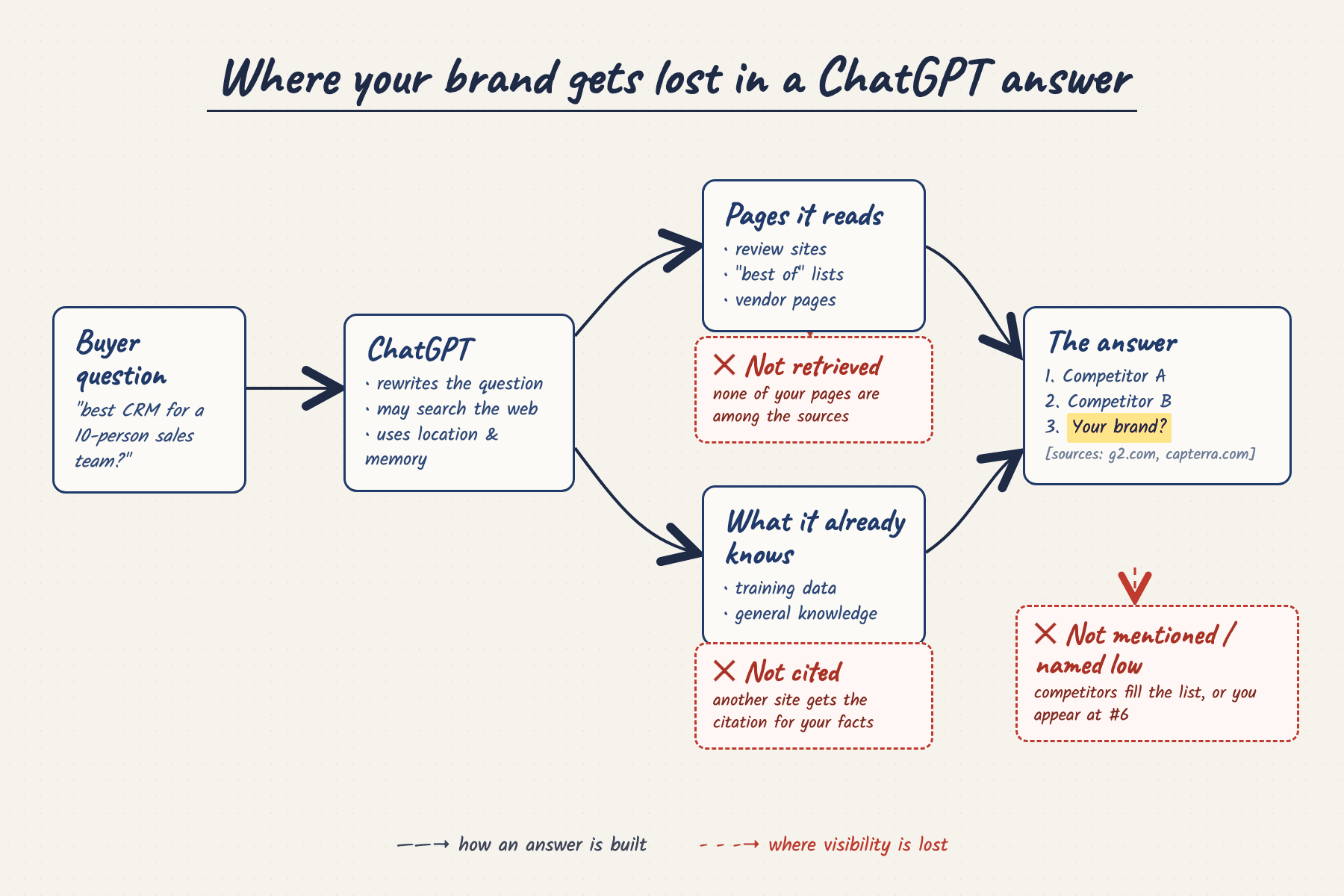
Your brand can drop out at four points:
- Not retrieved: none of your pages appear among the sources ChatGPT reads, so it has nothing current to say about you.
- Not cited: ChatGPT uses information about your category, but the citation goes to a review site or a competitor's page instead of yours.
- Not mentioned: the answer lists competitors and leaves you out entirely.
- Named low: you are mentioned, but at number six, below the options most readers will consider.
Tracking your brand in ChatGPT means measuring all four, repeatedly, for the questions that matter to your pipeline.
Why checking ChatGPT once gives you the wrong picture
The Tuesday-to-Thursday story above is normal. OpenAI's own documentation explains several reasons the same question can produce different answers:
- Web search: ChatGPT may search the web automatically, rewrites your question into targeted queries, and sometimes sends those queries to partner search providers.
- Location: it collects general location from your IP address and may use it to make searches more relevant.
- Memory: if memory is on, saved memories and past chats can personalise the response, and can even shape how ChatGPT rewrites a search query.
The size of the variation surprises most teams. In a test published by Search Engine Land in February 2026, 12 prompts were each run 100 times in logged-out ChatGPT. Across those 100 responses, ChatGPT mentioned 44 brands on average, but only about 5 brands appeared in 80% or more of the answers. In competitive categories, 72% of the brands it mentioned showed up in fewer than 20% of answers.
So one check can flatter you or bury you. The only honest measure is a rate built from many answers to the same questions, asked the same way, over time.
The best tools to track your brand in ChatGPT (2026)
Several tools now automate this. They differ most on which AI platforms they cover, how many questions you can track, and what they add beyond tracking. Pricing below comes from each company's public pricing page, checked in September 2026. We build Citradar, so it is listed first; the other tools are described from their own public pages.
1. Citradar (daily tracking across the four major assistants)
Citradar asks your tracked questions every day and records every answer in full. It covers ChatGPT, Perplexity and Gemini from $49/month, and adds Claude on its $99/month plan, so the four assistants people most often ask for recommendations are measured side by side. Each question can be set to one of 10 countries on every plan.
Every answer is stored with your brand and competitors highlighted, then rolled up into visibility, share of voice, average position and citation reports. Citradar also suggests new competitors it finds in the answers and turns the sites that cite competitors but not you into a checklist.
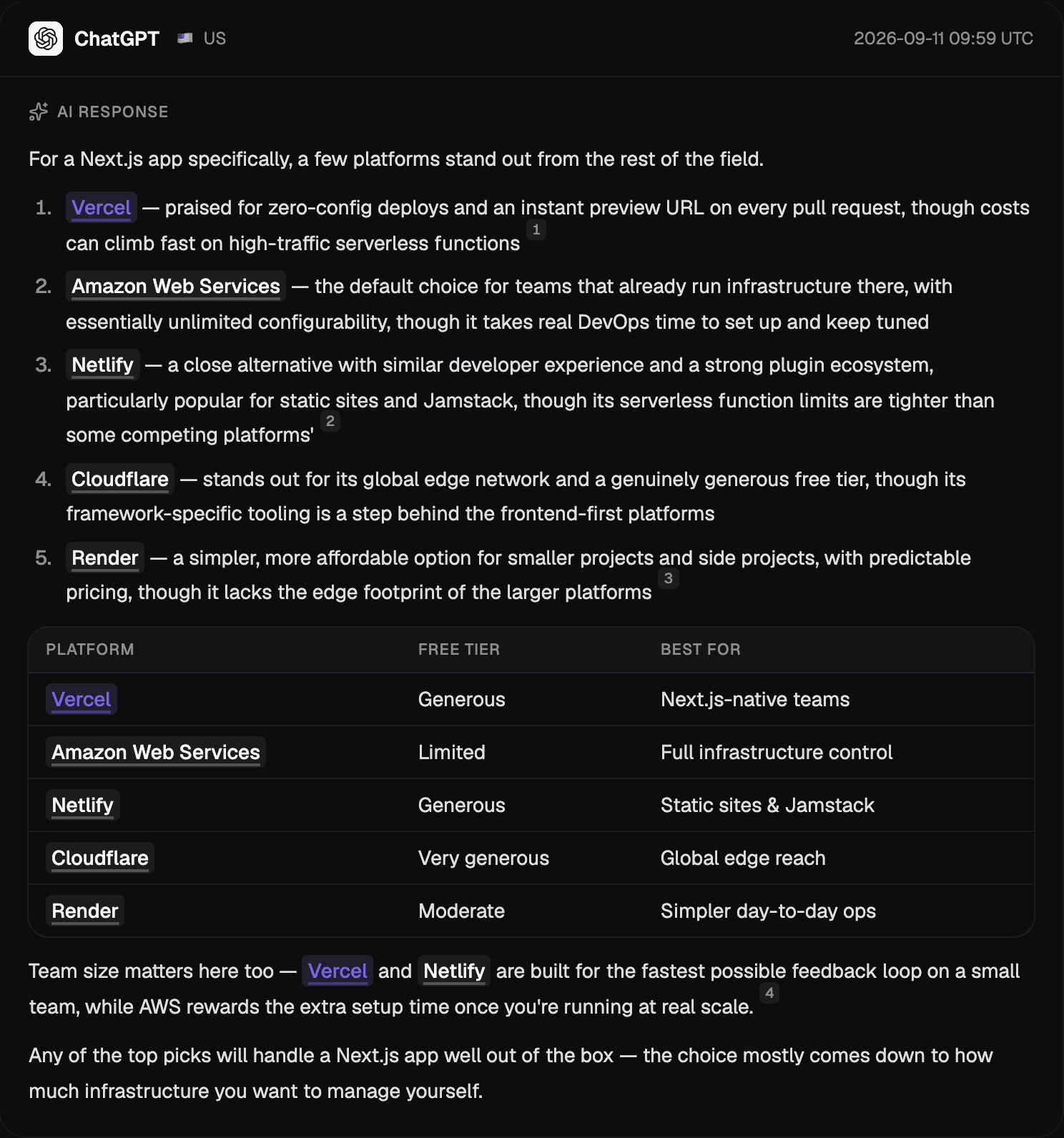
It does not track Google AI Overviews or AI Mode, and it has no public API. It suits teams that want the major assistants tracked daily, in several markets, without an enterprise contract.
2. Profound (for enterprise answer-engine teams)
Profound is a broad answer-engine optimisation suite. Its Starter plan tracks 50 prompts on ChatGPT only for $99/month billed yearly. Growth tracks 100 prompts across ChatGPT, Perplexity and Google AI Overviews for $399/month billed yearly, and Enterprise extends coverage to up to nine engines, including Claude, Gemini, Copilot and Google AI Mode.
Beyond tracking, Profound includes content-writing agents on a credit model and Agent Analytics for AI crawler traffic. API access, SSO and SOC 2 compliance sit on Enterprise. It suits larger marketing teams that want Google AI surfaces and content production in one platform. See our Citradar vs Profound comparison for a closer look.
3. Peec AI (for SEO teams that want many AI surfaces)
Peec AI's self-serve plans each track 3 models of your choice from ChatGPT, Perplexity, Gemini, Google AI Mode, AI Overviews and Microsoft Copilot. Starter is $95/month for 50 prompts, Pro $245/month for 150, and Advanced $495/month for 350, with 15% off on annual billing. Claude is available on Enterprise.
Every plan includes unlimited team users, sentiment and brand perception scoring, AI Shopping at product level, crawler analytics and an MCP server, and Advanced adds a Data Studio connector. It suits SEO teams that want Google's AI surfaces and deeper analytics alongside ChatGPT. The Citradar vs Peec AI comparison covers the differences in detail.
4. Otterly.AI (for small teams getting started)
Otterly.AI has the lowest entry price of the group. Its Lite plan is $29/month for 15 search prompts, tracked daily across ChatGPT, Google AI Overviews, Perplexity and Microsoft Copilot, with unlimited team members. Standard is $189/month for 100 prompts and adds API access, and Premium is $489/month for 400 prompts.
Claude, Google AI Mode and Gemini are available as paid add-ons rather than included. It suits solo marketers and small teams who want to start tracking ChatGPT cheaply with a small set of questions.
4 steps to track your brand in ChatGPT manually
If you are not ready to pay for a tool, or you want to understand exactly what the tools are doing, you can run the same process by hand. It takes discipline more than skill.
Step 1: Map the questions your buyers actually ask
People do not type keywords into ChatGPT. They describe their situation: "I run a 10-person sales team and we live in Gmail. Which CRM should we use, and what will it really cost?" Track questions like that, asked before a buyer knows your name.
Write 20 to 50 questions across three types: category questions ("best CRM for small sales teams"), use-case questions ("CRM that syncs with Gmail"), and comparison questions ("Pipedrive vs HubSpot for startups"). Branded questions show how ChatGPT describes you, but they cannot tell you whether it recommends you. Keep the list stable, or you will not know whether your visibility changed or your sample did.
Step 2: Ask each question repeatedly in a clean session
To see what ChatGPT tells buyers rather than what it tells you, remove your own context. Use a Temporary Chat, which OpenAI notes does not use existing memories, or turn memory off. Ask each question in a new conversation, on its own.
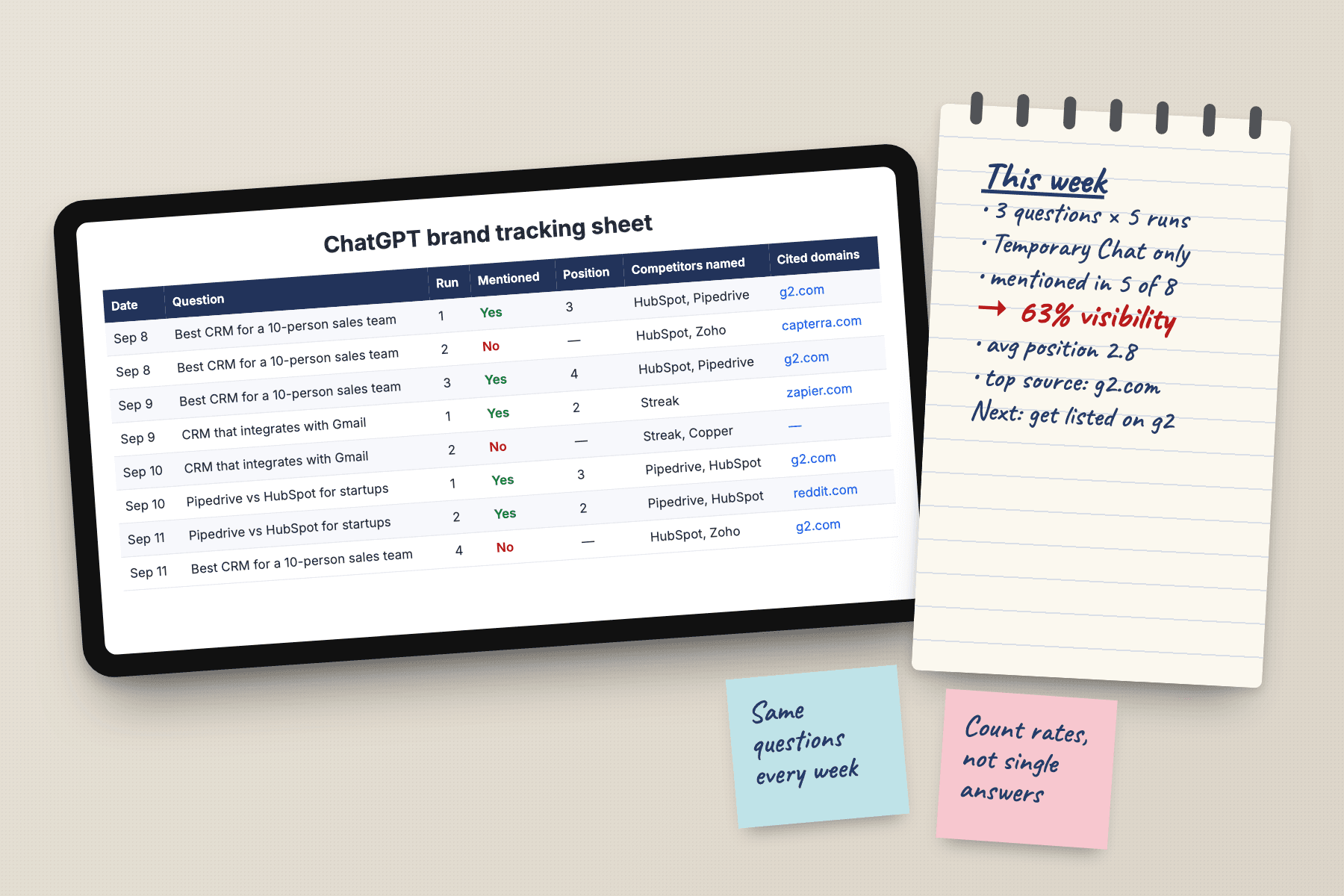
Repeat every question several times, and again on different days. Five runs per question per week is a practical minimum for a manual process. If you sell in more than one country, run the questions from each market, because location can change the search results behind the answer.
Step 3: Record four data points from every answer
For every answer, write down whether your brand was mentioned, its position in the list, which competitors were named, and which domains ChatGPT cited if it searched. One row per answer is enough.
Step 4: Turn your records into rates
Once you have a week of rows, calculate four numbers:
- Visibility rate: answers that mention you, divided by all answers.
- Average position: your mean position, counting only answers where you appear.
- Share of voice: your mentions, divided by all brand mentions across every answer.
- Citation share: how often each domain is cited across all answers.
Here is how that looks for 25 questions asked 4 times each, 100 answers in total. The numbers are illustrative.
| Brand | Mentioned in | Visibility rate | Average position |
|---|---|---|---|
| Competitor A | 82 answers | 82% | 1.6 |
| Your brand | 41 answers | 41% | 3.4 |
| Competitor B | 37 answers | 37% | 2.9 |
Read it as: you appear in fewer than half of relevant answers, usually below the leader. That is a baseline you can improve and re-measure, which is far more useful than "ChatGPT mentioned us once".
Turning what you find into better visibility
Measurement only matters if it changes what you publish and where you appear. Your tracking data points to three kinds of work.
Fix the pages ChatGPT already relies on
Look at the domains cited most often in answers about your category. If ChatGPT cites your own pricing or comparison pages, make sure they are current, specific and easy to quote: clear plan names, real prices, and plain statements of who the product is for. Outdated facts on a cited page are repeated back to every buyer who asks.
Get onto the sources that cite your competitors
When review sites, "best tools" articles or community threads keep appearing as citations for your competitors, those are the places your brand needs to be. Ask for inclusion in the lists, keep review profiles complete, and publish useful comparisons others will reference.
Make sure ChatGPT can reach your site
OpenAI states that OAI-SearchBot is the crawler used to surface websites in ChatGPT search, that sites must allow it in robots.txt to appear, and that changes take about 24 hours to apply. GPTBot is different: blocking it opts your content out of model training, not out of search. Check your robots.txt before you conclude ChatGPT is ignoring you.
Frequently asked questions
Can I check how ChatGPT talks about my brand for free?
Yes. Ask ChatGPT the questions your buyers ask in a Temporary Chat, so saved memories are not used, and record whether your brand appears. Repeat each question on different days, because a single answer is not a reliable measure.
Why does ChatGPT give a different answer every time?
Answers are generated rather than looked up, and they can change with your location, your saved memories and the web results ChatGPT retrieves. In a Search Engine Land test of 100 runs per prompt, ChatGPT named 44 brands on average, but only about 5 appeared in 80% or more of answers.
How do I make my site eligible to appear in ChatGPT search?
Allow OpenAI's OAI-SearchBot in your robots.txt. OpenAI says this crawler surfaces websites in ChatGPT search and that robots.txt changes take about 24 hours to apply. Blocking GPTBot only opts you out of model training, not search.
How often should I track my brand in ChatGPT?
Weekly at minimum for a manual process, with several runs per question each week. Tools that run every day give steadier trends because each week's rate is built from more answers.
From guessing to measuring
Most teams still judge their AI visibility by asking ChatGPT once and hoping for the best. The teams that pull ahead treat it like any other channel: a fixed set of buyer questions, asked the same way on a schedule, turned into rates they can move.
Start with the manual method if you want to learn the mechanics. When the spreadsheet grows past what you can maintain, pick the tool that covers the platforms your buyers actually use, and keep measuring the same questions week after week. That consistency is what turns a confusing Tuesday-to-Thursday story into a trend you can act on.
See where your brand appears in AI answers
Enter your domain to track brand mentions, competitor positions and the sources shaping answers across ChatGPT, Claude, Gemini and Perplexity.
